English
Spellcheck
Spellcheck flags possible misspellings in the editor, memos and cards.
Enable Spellcheck and Choose Dictionaries
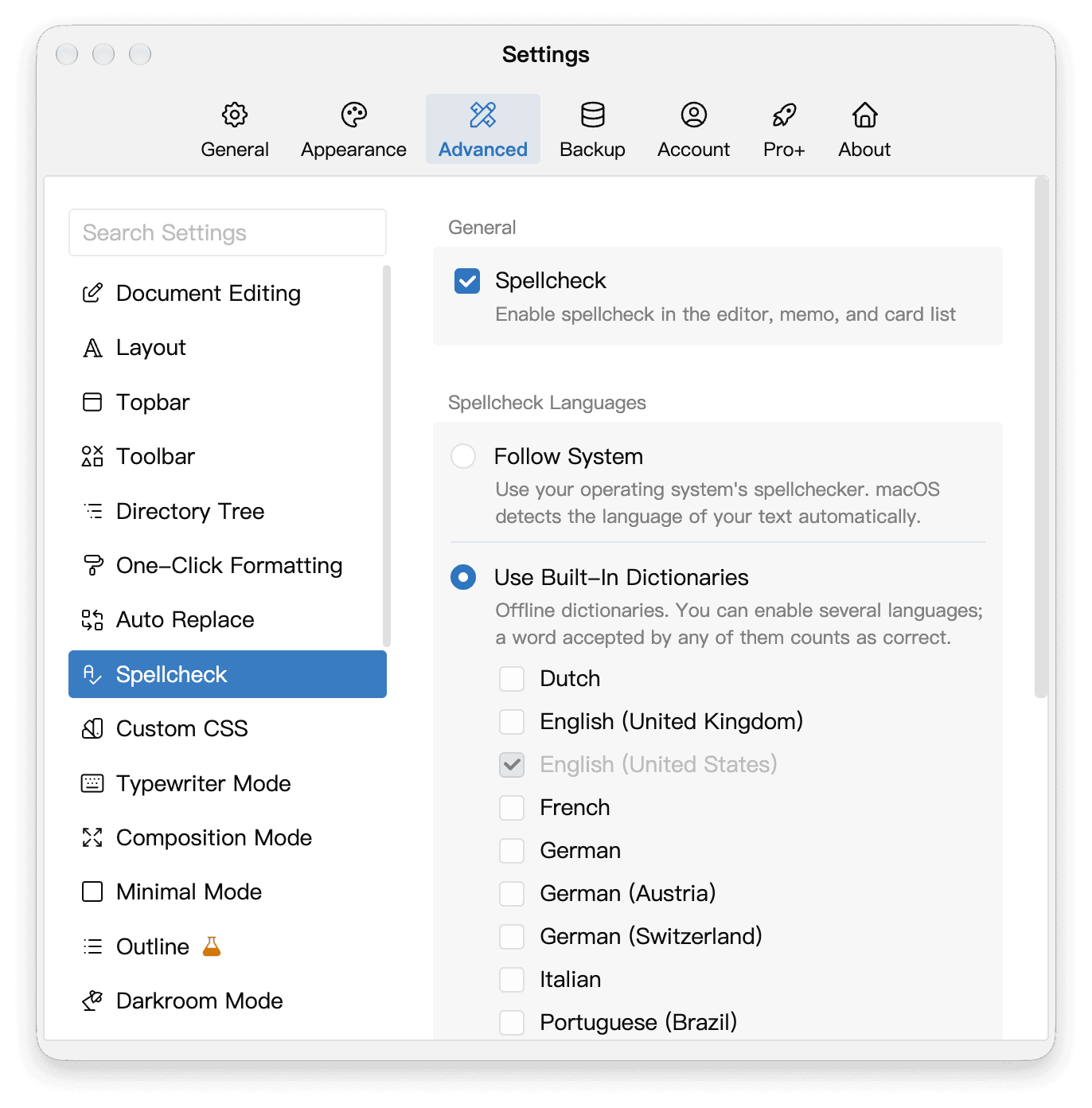
Open Settings → Advanced → Spellcheck and turn on spellcheck.
- Follow System uses your system’s spelling languages. On Windows and Linux, system dictionaries may need an internet connection to download.
- Choose Use Built-In Dictionaries to select the languages you write in, or if your system dictionary is unavailable. Select at least one dictionary. You can combine Latin-script dictionaries, or select Russian on its own. Restart when prompted after changing the engine or dictionary selection.
Toggle Spellcheck from the Sidebar
You can also click the Spellcheck button at the bottom of the right sidebar to turn it on or off. Hover over the button to see its current state. If the sidebar is hidden, open it with the right-sidebar button in the upper-right corner of the main window.

Learn Spellings and Manage Learned Words
Right-click a flagged word to choose a suggestion, or choose Learn Spelling to keep a name or specialist term.
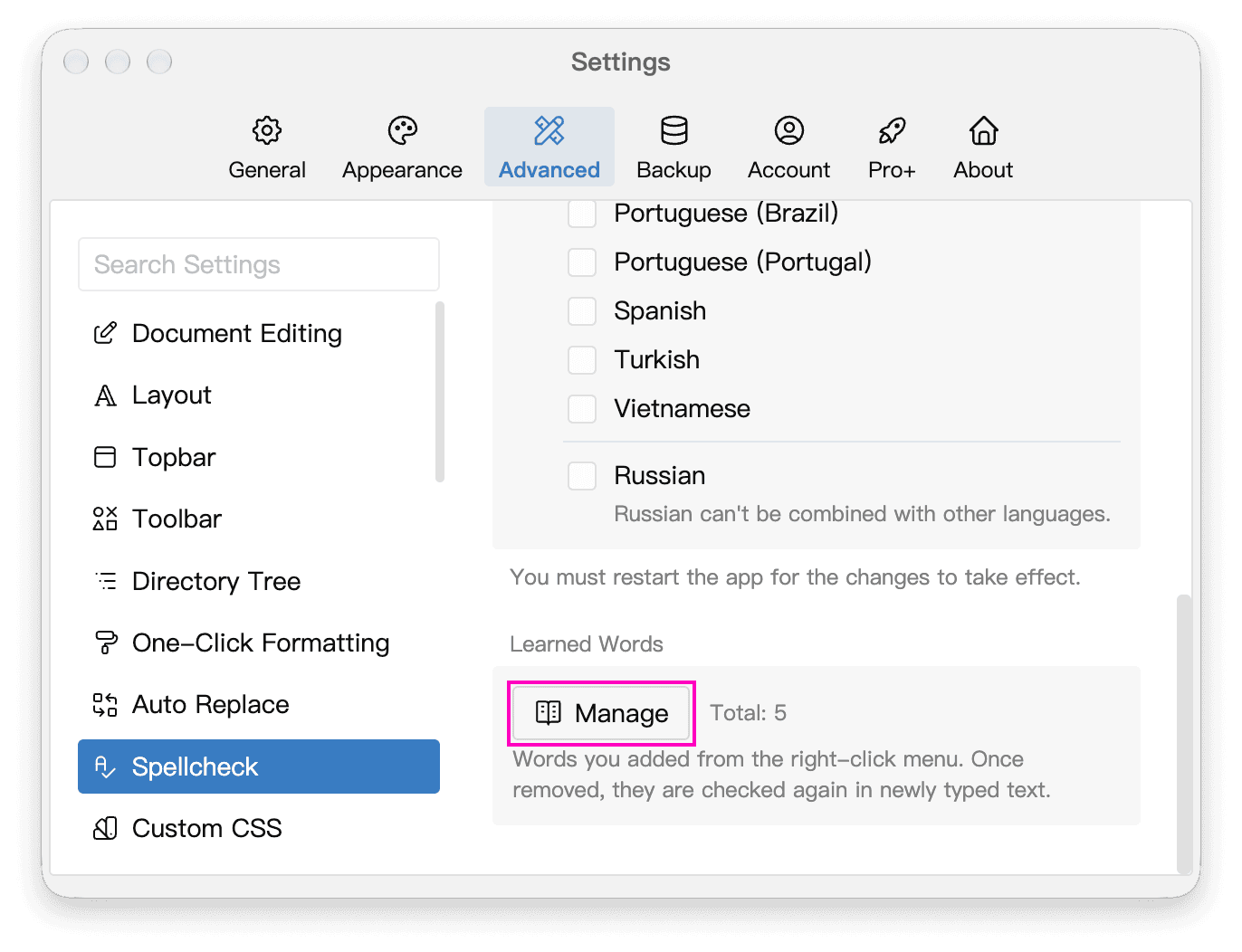
Open Settings → Advanced → Spellcheck, scroll down to Learned Words, and click Manage. If the button is dimmed, first right-click a flagged word in the editor and choose Learn Spelling.
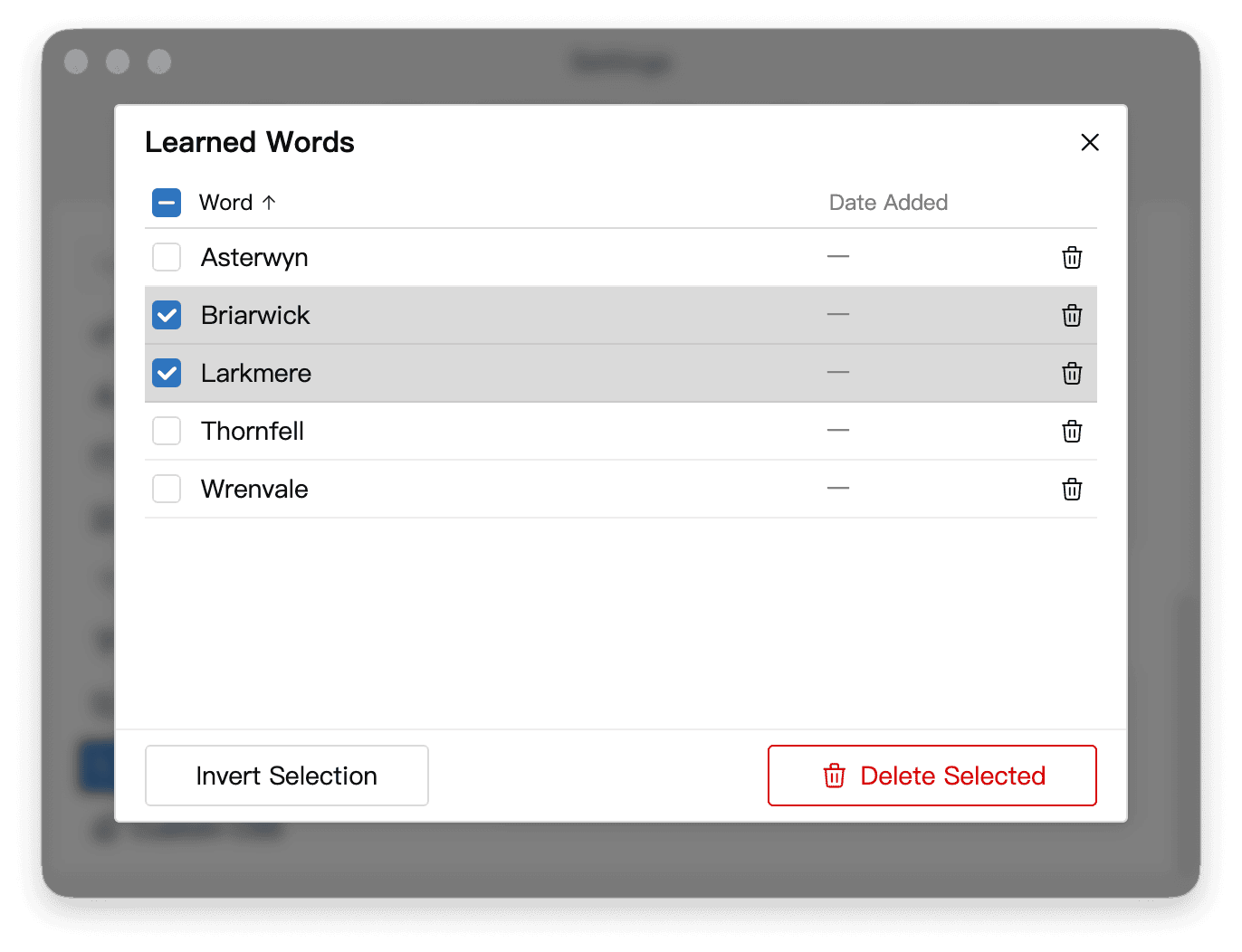
In the management panel, click a column heading to sort by word or date added. A dash in the Date Added column means the date was not recorded. On Windows or Linux, use this list if right-clicking a learned word does not offer Unlearn Spelling.
Select individual words, Shift-click a range, select all, or invert the selection. Confirm deletion to remove the selected words. Click Undo in the notification to restore them. Changes to learned words take effect immediately.