
API
In addition to using the user interface, you can also access and manage content in WonderPen through the API.
TIP
Note: API support is available starting from desktop version v3.1.3.
Enable
The API is disabled by default. You can enable it in the Settings window → Advanced → API, as shown below:
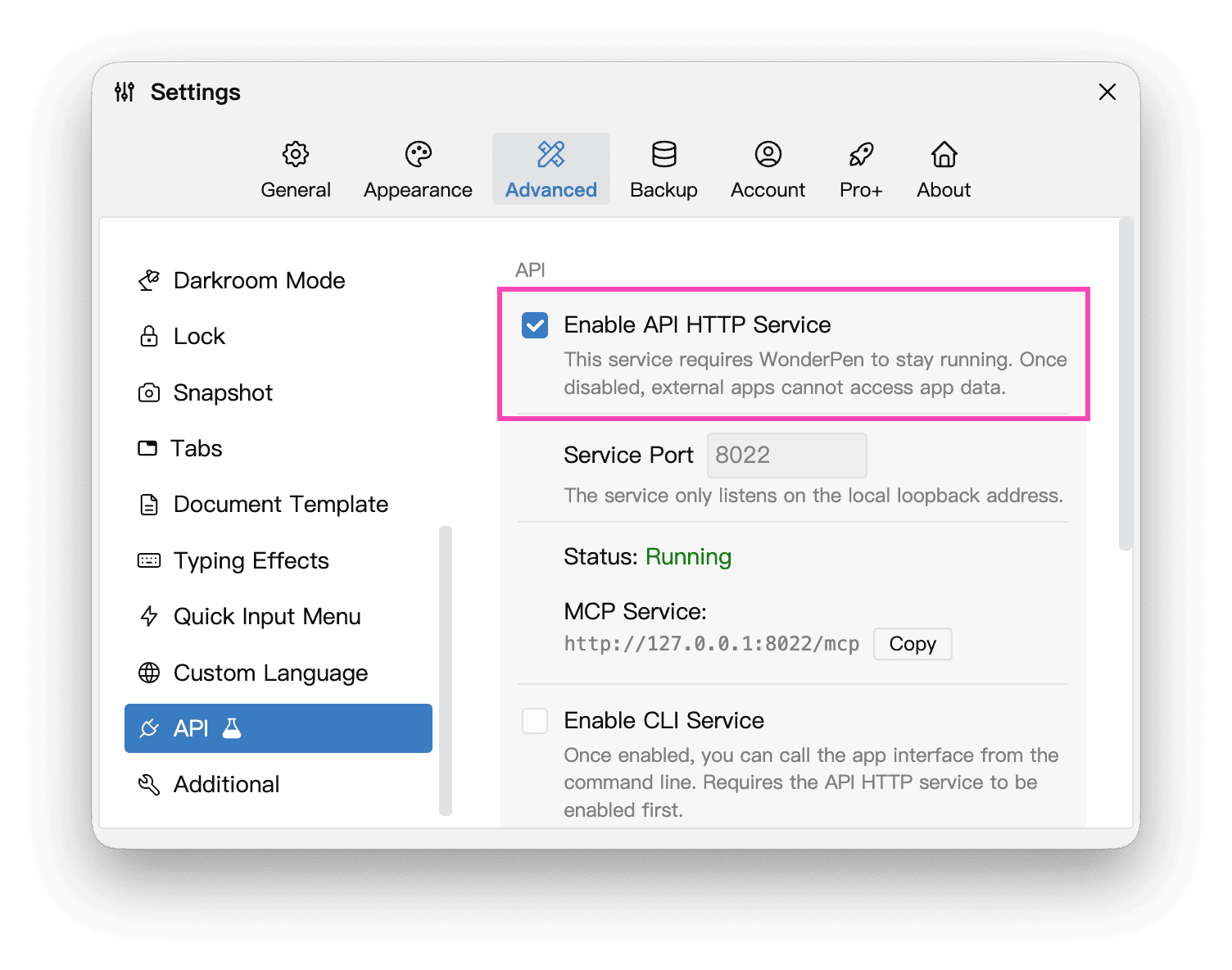
The API service starts a local HTTP service on your computer. It only listens on the 127.0.0.1 IP address, so it is visible only to the local machine. You do not need to worry about other people on the same LAN accessing the API.
The available settings are shown below:
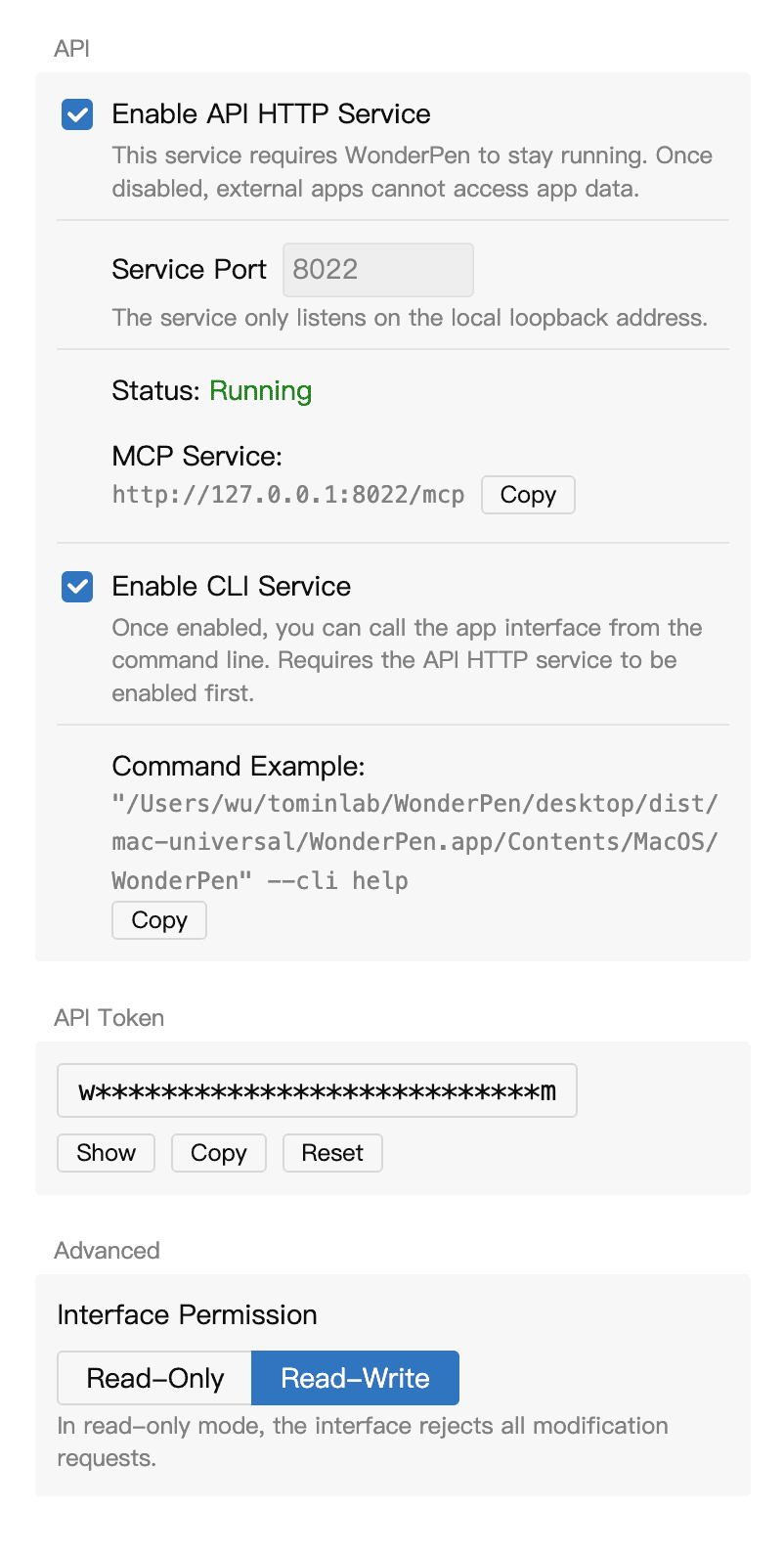
You can specify the port for the API service, or reset/regenerate the API Token.
MCP Service
MCP stands for Model Context Protocol. It allows AI applications to connect to external systems.
WonderPen does not include a built-in AI service, but it integrates an MCP interface. You can use local AI applications that support MCP to access and manage data in WonderPen.
In simple terms, WonderPen exposes an interface so third-party AI applications can access content in WonderPen.
After you enable the API HTTP service, the MCP service will also start at the same time. With the default settings, you can access WonderPen's MCP service at http://127.0.0.1:8022/mcp. The type is Streamable HTTP (streamableHttp).
In most cases, you also need to add a request header for authentication when adding the MCP service. It looks like Authorization=Bearer wp-xxx, where wp-xxx is the API Token shown in the screenshot above.
CLI
In addition to the MCP interface, WonderPen also supports a more general CLI interface, which is a command-line interface.
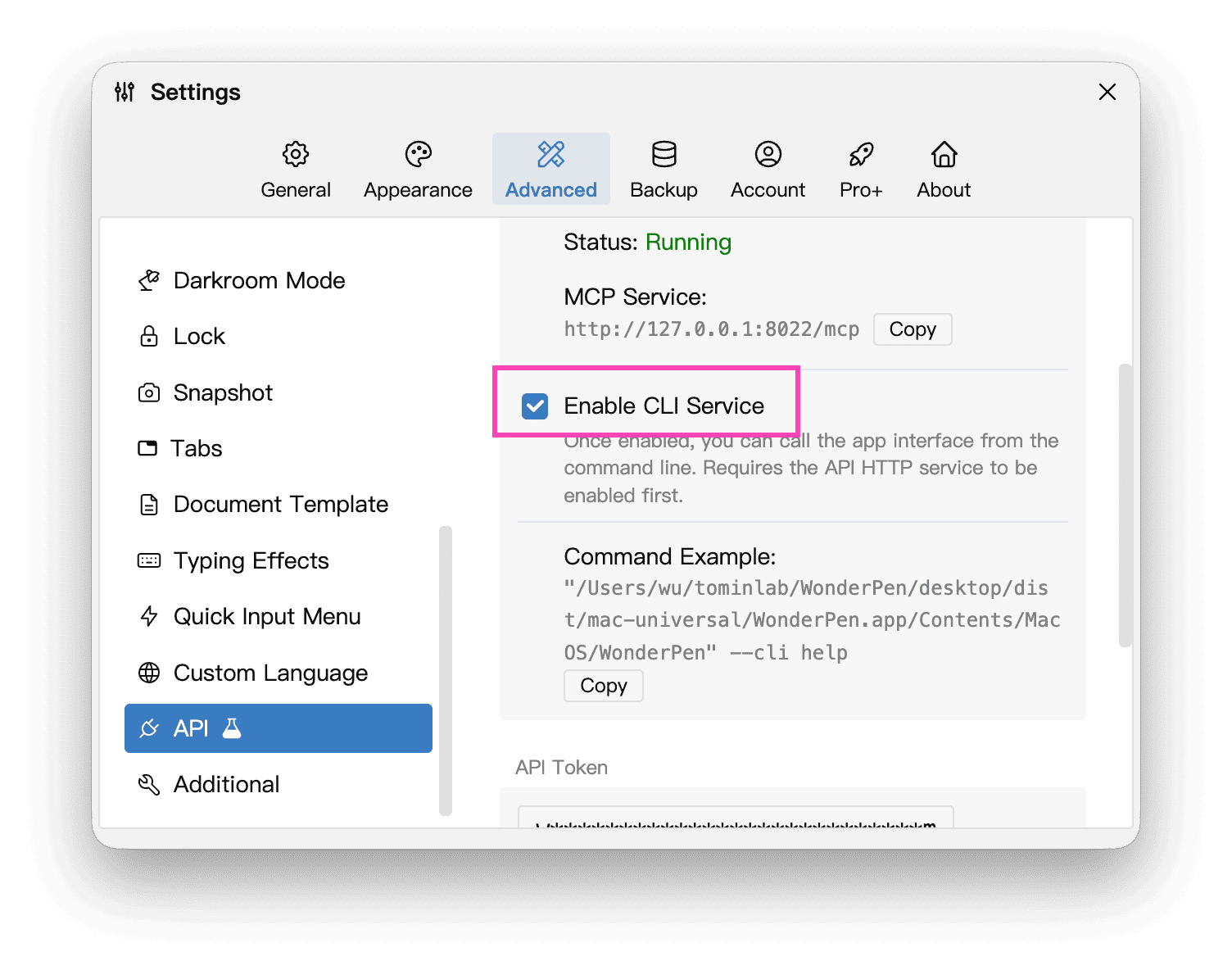
You can run the example command to view the help information. The help information includes usage instructions for each command.
References
You can also refer to the following articles and posts for more information: