
Auto Numbering
A long work may consist of many chapters. During the writing process, we may repeatedly modify it, sometimes we may need to delete a chapter in the middle, or add a chapter in the middle. In general, this requires manually modifying the numbering of all subsequent chapters.
Numeric Chapter Numbering
In WonderPen, when creating a new document, it will try to automatically number based on the title of the previous document. For example, if the title of the previous document is Chapter 1, then the title of the new document will be automatically set to Chapter 2.
Auto numbering also supports Chinese numbering. For example, if the title of the first document is 第一章, then the title of the new document will be automatically set to 第二章.
Date Chapter Numbering
If the title of the previous document is in the form of a date like 2022-01-25, then the title of the new document will be automatically set to the date of the next day, such as 2022-01-26.
When writing a diary, this function should be more useful.
Macro
Although the function of automatic numbering is very powerful, it also has some disadvantages. For example, after writing several chapters, if you want to add or delete a chapter in the middle, then all the chapter numbers after this chapter need to be modified. If you don't want to make manual changes, you can use macro when naming chapters.
In WonderPen, you can use {$N} to represent the current chapter number, which will be replaced with the correct chapter number when displaying or exporting. As shown below:
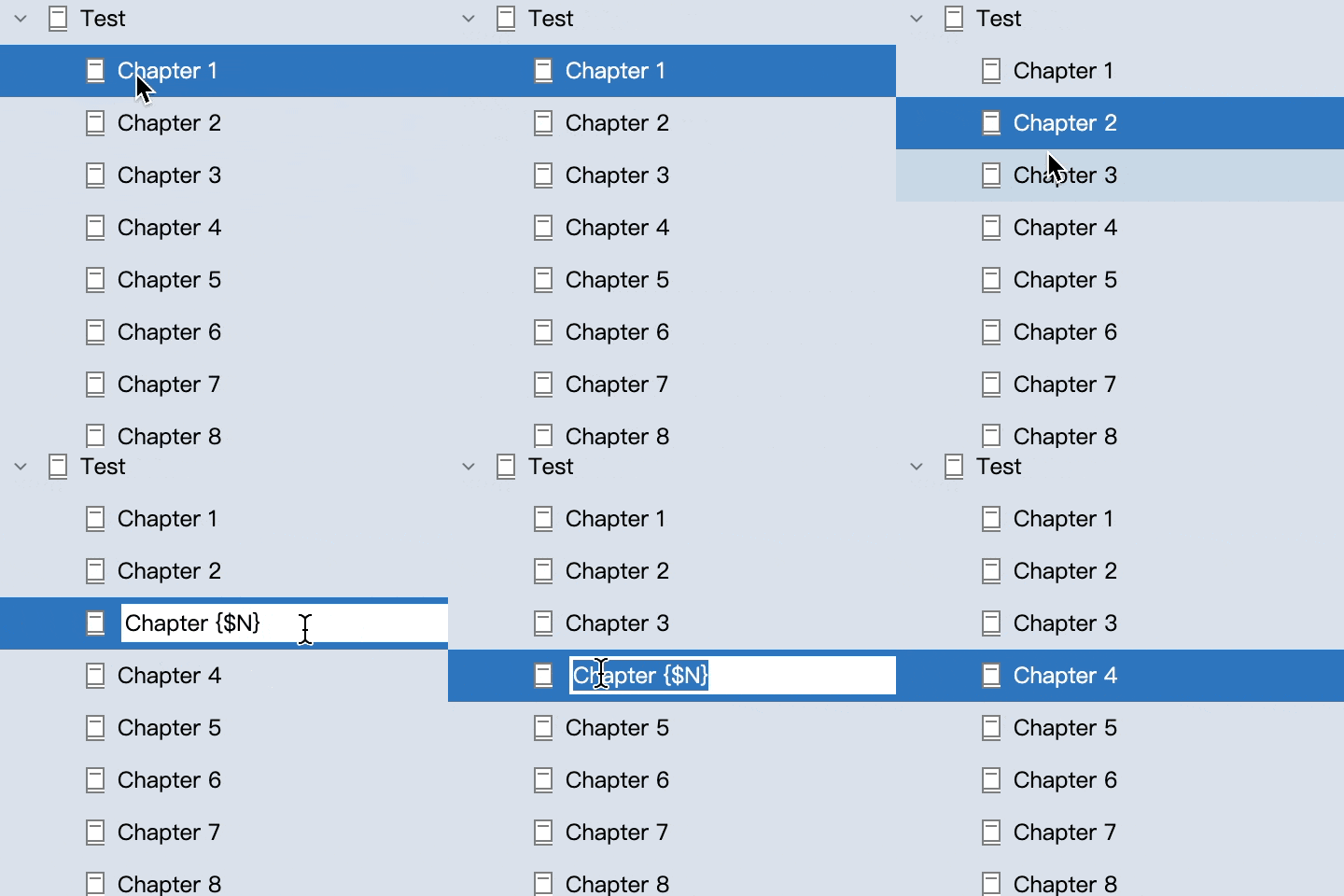
The Chapter {$N} in the image above will be displayed as Chapter 3 in the non-editing state or when exporting.
{$N} indicates the serial number of the current document at the current level, starting from 1. There is also a {$N0}, the effect is similar, the difference is that the numbering starts from 0.
Numbering also supports adding numbers, the syntax is {$N+x}, where x is the number you want to add. Sometimes, you may need to start numbering from a specific chapter, such as the first document in a folder is not chapter 1, but chapter 50, then you can use {$N+49} or {$N0+50} to specify the number.
WARNING
Note that the above symbols cannot contain spaces, otherwise they will be output as they are.
Chinese Support for Macros
In the macro usage above, the chapter numbers displayed are Arabic numerals. If you want to display Chinese chapter numbers, you can use {$N_ZH} or {$N0_ZH}, which have the same meaning as the regular usage above, but the output will be Chinese numerals.
For example, the first 第{$N_ZH}章 in the directory will be displayed as 第一章, and the first 第{$N0_ZH}章 will be displayed as 第零章.
Similarly, you can also use forms like {$N_ZH+50} or {$N0_ZH+50} to start numbering from a specified number.
Dual Auto Numbering
Sometimes we need two numbers in our chapters, the first is the total chapter number, and the second is the short story number, as shown in the figure below.
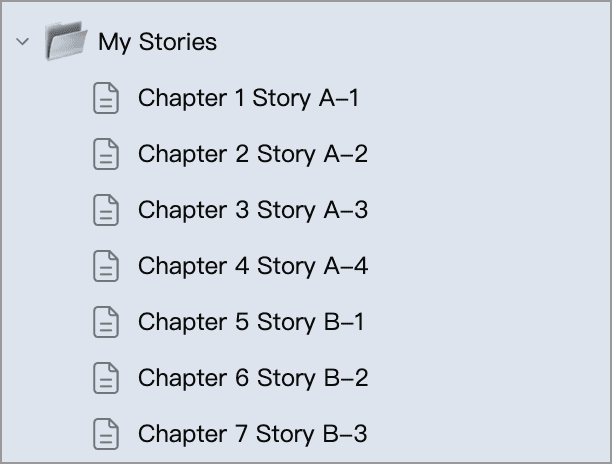
Each short story has several chapters, and after one short story ends, another short story begins.
In this scenario, you may need the dual auto numbering feature.
Basic Usage
Note that there are two numbers in the title, which are the total chapter number and the short story number.
WonderPen supports auto numbering functionality. You can use the form {$N} to automatically number chapters. For example, 第{$N}章 will be rendered as 第1章 based on its position.
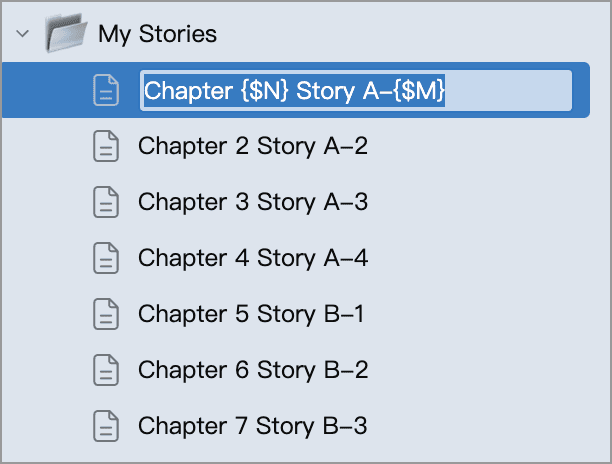
In version 3.0, we introduced a second numbering code {$M}, which you can use to number the second number in chapters. For example, 第{$N}章 小故事A {$M} will be rendered as 第1章 小故事A 1 based on its position.
Reset Numbering
For the short story numbering, when one short story ends, the new short story needs to reset the numbering, that is, start numbering from 1 again. At this time, you can add {$M_RESET} to the chapter name that needs to be reset, so that numbering will start again from this chapter.
As shown in the figure below, the chapter name is: 第{$N}章 小故事B {$M}{$M_RESET}, which will be rendered as: 第6章 小故事B 1.
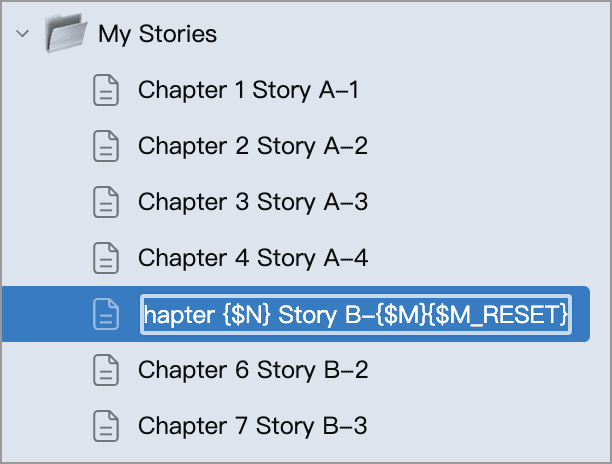
The {$M_RESET} can be placed anywhere in the title. As long as the chapter title contains this flag, the {$M} in the current title and subsequent titles will be renumbered from 1.
In addition to {$M_RESET}, there is also a corresponding {$N_RESET}, which can reset the count of {$N} to 1.
Specify the Starting Number New
Sometimes, you may want chapter numbering to start from a specific number. For example, if a work has multiple volumes and volume 1 already has 100 chapters, volume 2 may need to start from Chapter 101. In that case, you can use this feature to specify the starting number.
You can enter {$N_RESET:n} in a title anywhere in the directory tree to set the starting number of {$N} to a specific n, where n is a natural number. For example, {$N_RESET:101} means that numbering for that chapter starts from 101, and the next chapter will be 102.
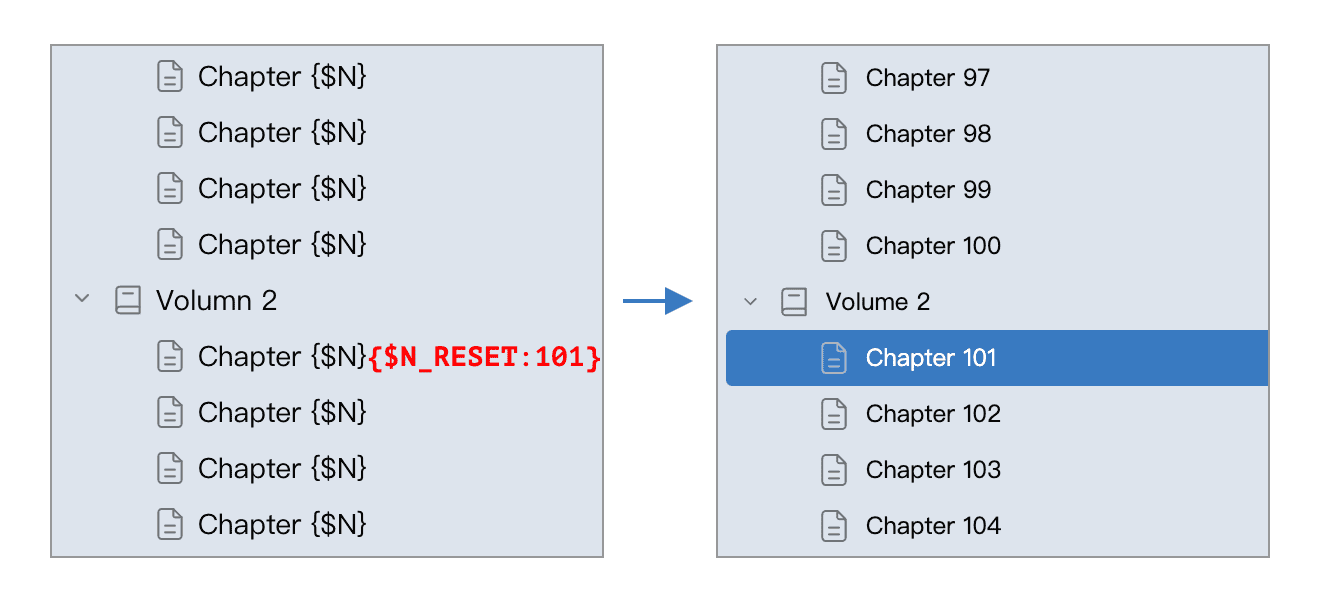
In the example above, without {$N_RESET:101}, volume 2 would also start numbering from Chapter 1. After adding {$N_RESET:101}, the numbering is reset to start from 101, so the chapters begin with Chapter 101.
Note that this is different from {$N+100}. {$N+100} affects only the number of the current chapter by adding 100, but it does not affect subsequent chapters, so the next chapter is still numbered normally. {$N_RESET:101} resets the starting number for the current and all subsequent chapters.